 By Zain
Introduction
Managing a virtualized infrastructure can be complex and time-consuming. VMware provides powerful tools to simplify monitoring, troubleshooting, and optimizing your virtual environment. One such tool is vRealize Infrastructure Navigator.
This tool is designed to provide deep insights into your virtual machines, applications, and dependencies, helping IT teams manage complex environments efficiently.
In this article, we will explore what vRealize Infrastructure Navigator is, how it works, its benefits, and best practices for using it effectively.
What is vRealize Infrastructure Navigator?
vRealize Infrastructure Navigator (vIN) is a VMware solution that helps organizations visualize, monitor, and manage their virtualized infrastructure.
It focuses on discovering and mapping applications and dependencies in a VMware environment, giving IT administrators a clear picture of how virtual machines interact with each other and with physical infrastructure.
Unlike traditional monitoring tools that only provide basic metrics, vRealize Infrastructure Navigator allows you to see the relationships between virtual machines and applications.
This makes it easier to troubleshoot issues, plan for upgrades, and optimize performance.
Key Features of vRealize Infrastructure Navigator
vRealize Infrastructure Navigator comes with several essential features that make it a valuable tool for VMware administrators:
1. Automated Application Discovery
The tool automatically discovers applications running on virtual machines. It identifies dependencies between different components, helping administrators understand how applications interact.
2. Dependency Mapping
vIN provides visual dependency maps, showing how virtual machines and applications are connected. This helps IT teams identify potential bottlenecks or points of failure in the environment.
3. Real-Time Monitoring
With vRealize Infrastructure Navigator, you can monitor your VMware infrastructure in real-time. The tool tracks the performance of virtual machines and applications, alerting administrators to potential issues before they become critical.
4. Integration with VMware vCenter
vIN integrates seamlessly with VMware vCenter, allowing administrators to manage virtual machines and applications from a single interface. This integration simplifies management and reduces the risk of misconfigurations.
5. Simplified Troubleshooting
When an issue occurs, vIN allows administrators to quickly identify the root cause by visualizing the relationships between virtual machines and applications. This reduces downtime and improves overall system reliability.
How vRealize Infrastructure Navigator Works
Understanding how vRealize Infrastructure Navigator works can help organizations leverage its full potential.
Discovery Process
The tool uses a lightweight agent to scan virtual machines in your VMware environment. It collects information about installed applications, services, and their connections to other virtual machines.
Data Visualization
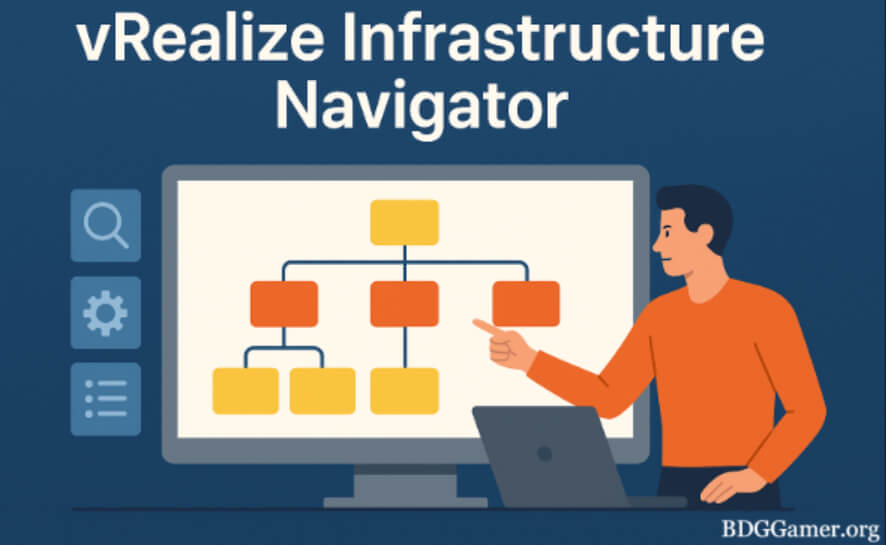
Once the data is collected, vIN creates interactive visual maps. These maps show virtual machines as nodes and the dependencies between them as connections. This visual representation makes it easier to understand complex infrastructures.
Reporting
vIN generates detailed reports on application performance, dependencies, and potential risks. These reports can be used for capacity planning, compliance, and auditing purposes.
Benefits of Using vRealize Infrastructure Navigator
Using vRealize Infrastructure Navigator offers multiple benefits for IT teams managing virtual environments:
Improved Visibility
vIN provides a clear view of your virtual infrastructure, including all applications, services, and dependencies. This visibility is essential for managing complex environments effectively.
Faster Troubleshooting
By mapping dependencies, administrators can quickly identify the root cause of performance issues. This reduces downtime and improves system reliability.
Optimized Resource Allocation
With insights from vIN, IT teams can allocate resources more efficiently, ensuring that virtual machines and applications perform optimally.
Enhanced Planning
vIN helps with capacity planning and upgrade strategies by providing detailed information on application dependencies and resource usage.
Better Compliance and Auditing
The tool generates reports that can be used to meet compliance requirements and support auditing processes, ensuring your infrastructure adheres to organizational policies.
Use Cases for vRealize Infrastructure Navigator
vRealize Infrastructure Navigator can be applied in various scenarios within VMware environments:
1. Application Dependency Mapping
Organizations can use vIN to map application dependencies before migrating to new virtual environments or upgrading existing infrastructure.
2. Performance Monitoring
vIN allows IT teams to monitor performance in real-time, ensuring that applications and virtual machines run efficiently.
3. Troubleshooting Issues
When a problem arises, vIN helps identify which virtual machines or applications are affected, speeding up the resolution process.
4. Capacity Planning
vIN provides insights into resource utilization, helping administrators plan for future capacity requirements.
5. Compliance Reporting
Organizations can generate detailed reports for regulatory compliance or internal auditing purposes.
Best Practices for Using vRealize Infrastructure Navigator
To maximize the benefits of vRealize Infrastructure Navigator, IT teams should follow these best practices:
Regularly Update vIN
Ensure that you are using the latest version of vIN to take advantage of new features and improvements.
Integrate with VMware vCenter
Seamless integration with vCenter provides a unified view of your infrastructure, improving management efficiency.
Monitor Critical Applications
Focus on monitoring critical applications that are essential for business operations. This ensures that high-priority systems remain operational.
Analyze Dependency Maps
Regularly review application dependency maps to identify potential bottlenecks and optimize performance.
Use Reporting for Planning
Leverage the detailed reports generated by vIN to plan capacity, upgrades, and compliance audits.
Conclusion:
vRealize Infrastructure Navigator is a vital tool for organizations managing VMware environments. Its ability to discover applications, map dependencies, monitor performance, and generate reports simplifies the management of complex infrastructures.
By implementing best practices and leveraging the full capabilities of vIN, IT teams can improve visibility, optimize resources, and reduce downtime.
Whether you are planning a migration, monitoring performance, or ensuring compliance, vRealize Infrastructure Navigator provides the insights and tools necessary for efficient infrastructure management.