 By Mian Kaif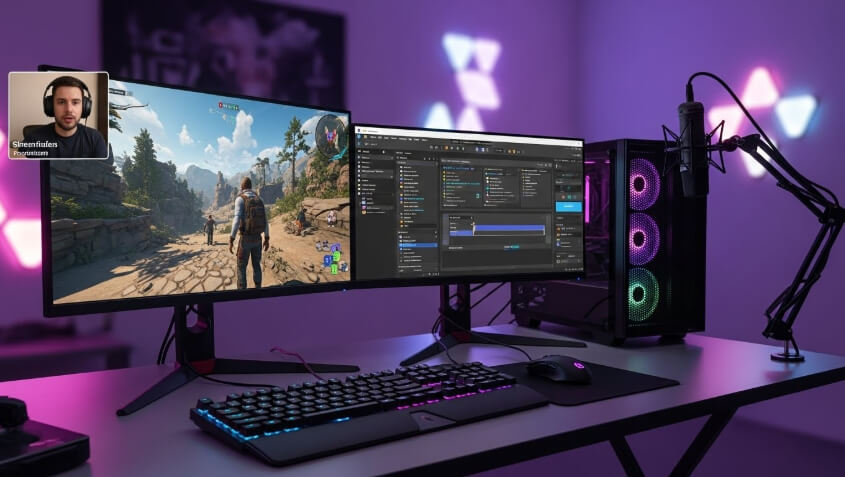
Introduction
Game streaming has become one of the most popular ways to share gameplay with audiences around the world.
Whether you want to stream for fun, build a gaming community, or start a professional streaming career, learning how to set up game streaming on PC is the first step. This guide explains everything in simple terms, making it easy for beginners to get started.
What Is Game Streaming on PC?
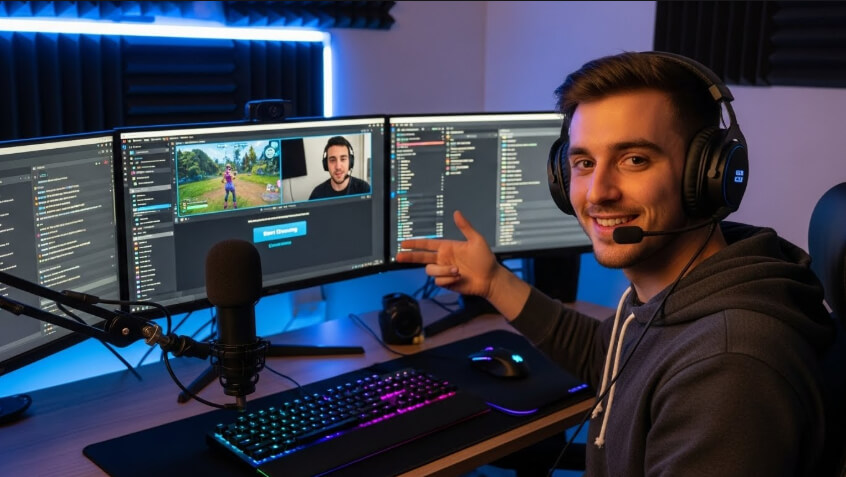
Game streaming on PC means broadcasting your gameplay live over the internet so others can watch in real time. Viewers can interact through chat while you play.
Many gamers use streaming to entertain audiences, teach gameplay strategies, or connect with other gaming enthusiasts.
Understanding how to set up game streaming on PC helps you create smooth streams with good video and sound quality.
Why Learn How to Set Up Game Streaming on PC?
There are many reasons why people want to start streaming games on a PC:
- Share gaming skills with others
- Build an online gaming community
- Create entertainment content
- Practice communication and presentation skills
- Explore potential income opportunities
Knowing how to set up game streaming on PC allows you to stream professionally and confidently.
Basic Requirements to Set Up Game Streaming on PC
Before starting, you need to make sure your setup meets the basic requirements.
PC System Requirements for Game Streaming
Your PC must be powerful enough to handle both gaming and streaming at the same time. A good setup includes:
- A modern multi-core processor
- Enough RAM for smooth performance
- A dedicated graphics card
- Sufficient storage space
A stable system is essential when learning how to set up game streaming on PC.
Internet Connection for Game Streaming
A fast and stable internet connection is very important. Streaming uses a lot of data, so slow internet can cause lag, buffering, or dropped streams.
A wired connection is usually better than Wi-Fi for consistent streaming performance.
Choosing the Right Streaming Software
Streaming software captures your gameplay and sends it to your audience. Selecting reliable software is a key part of understanding how to set up game streaming on PC.
Features to Look for in Streaming Software
When choosing streaming software, look for:
- Easy setup and user interface
- Customizable layouts
- Audio and video controls
- Chat and alert support
Streaming software helps you manage everything during live broadcasts.
Setting Up Streaming Software on Your PC
Once you choose your software, the next step in how to set up game streaming on PC is installation and configuration.
Installing the Streaming Software
Download and install the software on your PC. Follow the setup instructions carefully. Most streaming tools guide users step by step during installation.
Configuring Video Settings
Adjust video settings to match your PC’s performance. Choose resolution and frame rate settings that provide smooth gameplay without overloading your system.
Lower settings can still deliver good quality while keeping the stream stable.
Adjusting Audio Settings
Audio is just as important as video. Set up:
- Game sound
- Microphone volume
- System audio
Clear audio makes streams more enjoyable for viewers.
Setting Up Your Game for Streaming
After setting up the software, you need to connect your game to the stream.
Adding the Game Source
Most streaming software allows you to add your game as a source. This tells the software what to capture and stream.
Make sure the game runs in a compatible display mode for smooth capture.
Testing Game Performance
Before going live, test how the game performs while streaming. This helps identify any lag, crashes, or audio problems.
Testing is an important step when learning how to set up game streaming on PC.
Setting Up a Microphone and Webcam
Your voice and face help viewers connect with you, making streams more engaging.
Choosing a Microphone for Game Streaming
A clear microphone improves communication. Position it close enough to your mouth while avoiding background noise.
Setting Up a Webcam
A webcam lets viewers see your reactions while playing. Place it at eye level for a natural look and ensure good lighting.
Webcam setup plays a big role in how to set up game streaming on PC for audience engagement.
Creating a Simple Streaming Layout
A streaming layout organizes what viewers see on the screen.
Elements of a Streaming Layout
A basic layout includes:
- Gameplay window
- Webcam feed
- Microphone audio
- Optional overlays
Keep the layout clean and simple to avoid distractions.
Customizing Your Stream Look
You can adjust colors, text, and placement of elements. Consistent visuals help build a recognizable streaming style.
Optimizing Stream Quality on PC
Optimization ensures your stream runs smoothly without interruptions.
Managing CPU and GPU Usage
Streaming and gaming together can be demanding. Monitor your system’s performance and lower settings if needed.
Avoiding Lag and Frame Drops
Close unnecessary background programs. This frees system resources and improves streaming stability.
Learning optimization techniques is essential in how to set up game streaming on PC.
Conclusion:
Learning how to set up game streaming on PC is easier when you follow a step-by-step approach.
From choosing the right hardware and software to optimizing settings and engaging viewers, each step plays an important role. With practice, patience, and consistency, anyone can create enjoyable and high-quality game streams.
Whether you are streaming as a hobby or aiming to grow an audience, a solid setup ensures a better experience for both you and your viewers.
 Zain
Zain