 By Mian Kaif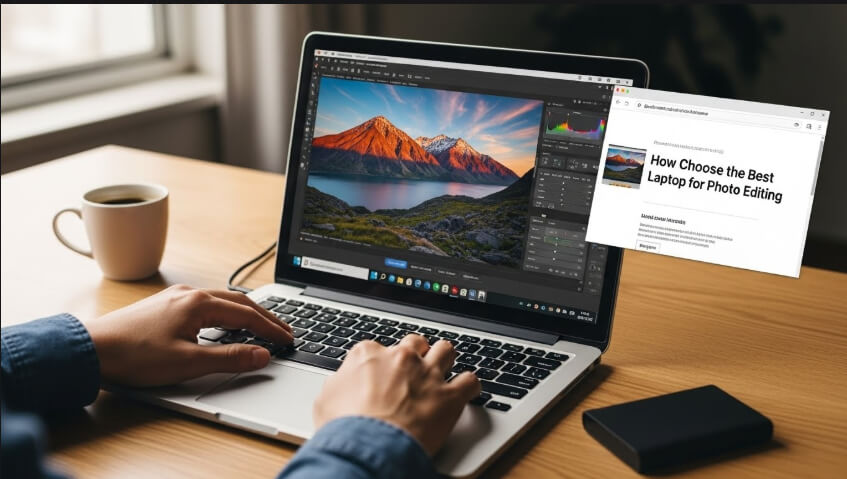
Introduction
Finding the best laptop for photo editing can be challenging, especially with so many options on the market. Photographers and graphic designers need laptops that are not only powerful but also portable and reliable.
In this guide, we will explore everything you need to know to choose the perfect laptop for photo editing.
Why Choosing the Right Laptop for Photo Editing Matters
When it comes to photo editing, not all laptops are created equal. The best laptop for photo editing must handle software like Adobe Photoshop, Lightroom, and other editing tools smoothly.
A laptop with insufficient processing power, memory, or a low-quality display can slow down your workflow and affect the quality of your edits.
Key factors to consider include:
- Processor power
- Graphics capabilities
- RAM and storage
- Display quality and color accuracy
- Portability and battery life
Key Features to Look for in the Best Laptop for Photo Editing
1. Processor (CPU)
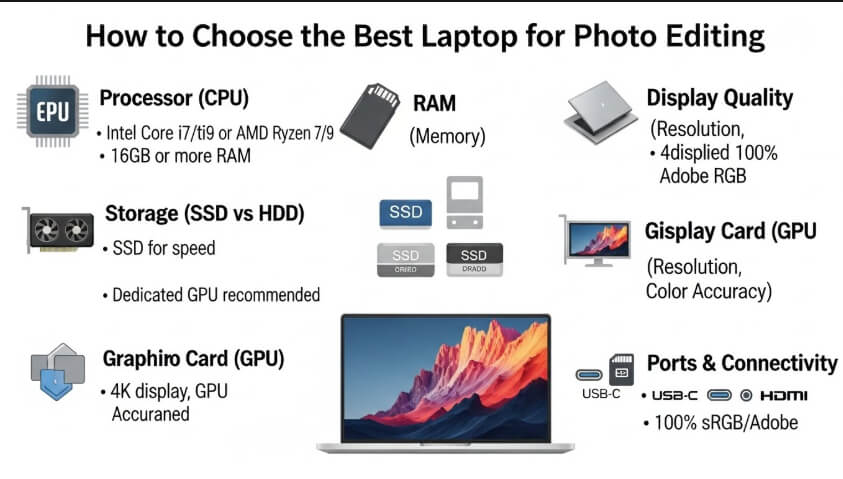
The CPU is the heart of any laptop. For photo editing, you need a powerful processor that can handle large files and complex edits. Intel Core i7 or i9, and AMD Ryzen 7 or 9 processors are excellent choices for smooth performance.
2. Graphics Card (GPU)
While photo editing is primarily CPU-intensive, a dedicated GPU can help speed up rendering, especially in software like Photoshop and Lightroom.
NVIDIA GeForce or AMD Radeon graphics cards are preferred for the best laptop for photo editing.
3. RAM
RAM is crucial for multitasking. At a minimum, 16GB RAM is recommended for photo editing, but 32GB or more is ideal if you work with large RAW files or multiple applications simultaneously.
4. Storage
Photo files, especially RAW formats, take up a lot of space. A solid-state drive (SSD) is preferred over a traditional hard drive for faster boot times and quicker file access. Look for at least 512GB SSD, though 1TB is better for professionals.
5. Display Quality
The display is arguably the most important feature in a photo editing laptop. Look for:
- Resolution: Full HD (1920×1080) minimum, 4K is preferred for detailed work.
- Color Accuracy: 100% sRGB coverage ensures colors are true to life.
- Panel Type: IPS panels offer better viewing angles and color consistency.
6. Portability
If you edit photos on the go, weight and battery life matter. Laptops with a balance between power and portability are ideal for traveling photographers.
7. Battery Life
Photo editing is power-hungry. Laptops with long battery life are essential if you work remotely. Look for 8+ hours of battery life to avoid constant charging.
Top Laptop Recommendations for Photo Editing in 2025
1. Apple MacBook Pro M2
- Processor: Apple M2 chip
- RAM: 16GB
- Storage: 512GB SSD
- Display: 16-inch Retina display, 100% DCI-P3
The MacBook Pro M2 is a favorite among photographers for its exceptional display and smooth performance. It’s one of the best laptops for photo editing thanks to its color-accurate screen and powerful processing.
2. Dell XPS 15
- Processor: Intel Core i7
- RAM: 16GB
- Storage: 1TB SSD
- Display: 15.6-inch 4K OLED
The Dell XPS 15 combines portability with performance. Its 4K OLED screen ensures vibrant colors, making it perfect for photo editing tasks.
3. ASUS ROG Zephyrus G14
- Processor: AMD Ryzen 9
- RAM: 32GB
- Storage: 1TB SSD
- Display: 14-inch QHD
While primarily a gaming laptop, the ASUS ROG Zephyrus G14 is excellent for photo editing due to its powerful CPU, GPU, and high-quality display.
4. Microsoft Surface Laptop 5
- Processor: Intel Core i7
- RAM: 16GB
- Storage: 512GB SSD
- Display: 13.5-inch PixelSense touchscreen
The Surface Laptop 5 offers portability and a high-resolution display. Its touchscreen can also be useful for precision edits with a stylus.
Common Mistakes to Avoid When Choosing a Laptop for Photo Editing
- Ignoring the display quality – Cheap displays can misrepresent colors.
- Choosing low RAM – 8GB RAM is not enough for heavy editing.
- Neglecting storage – Large photo libraries require fast and spacious SSDs.
- Overlooking GPU – A dedicated graphics card enhances rendering speed.
Laptop Accessories for Better Photo Editing
- External Monitors: For dual-screen editing setups.
- Color Calibration Tools: Ensure color accuracy.
- External SSDs: Backup large photo libraries.
- Graphic Tablets: For precise retouching and drawing.
Conclusion:
Finding the best laptop for photo editing requires careful consideration of CPU, GPU, RAM, storage, and display quality. Whether you choose a MacBook Pro M2, Dell XPS 15, or ASUS ROG Zephyrus G14, investing in a high-performance laptop ensures smooth workflow and professional-quality edits.
Remember, the right laptop can make your editing process faster, more enjoyable, and more accurate.
 Zain
Zain