 By Mian Kaif
Introduction
The Honorlock Chrome Extension has become an important tool for online exams, especially in schools, colleges, and universities that want secure and fair assessments.
As more institutions shift to digital learning, tools like Honorlock help teachers maintain academic honesty while giving students a smooth testing experience.
This guide explains everything you need to know about the Honorlock Chrome Extension, including how it works, its features, benefits, common issues, and tips for using it effectively.
What Is the Honorlock Chrome Extension?
The Honorlock Chrome Extension is a browser plug-in used for online test proctoring. It allows instructors to monitor exams remotely by using artificial intelligence and secure controls.
Students install the extension on the Google Chrome browser before taking a test.
The extension runs only during the exam and checks for suspicious activities such as switching tabs, copying text, or opening unauthorized websites.
This helps instructors maintain the integrity of the test environment.
Why the Honorlock Chrome Extension Is Important
Online learning has grown fast, and so has the need for secure testing tools. The Honorlock Chrome Extension gives institutions a reliable way to conduct exams without needing in-person supervision.
Its importance comes from its ability to provide:
- A controlled test environment
- Fairness in assessments
- Automated monitoring
- Convenience for both students and educators
Because of these strengths, many schools and training centers now use the Honorlock Chrome Extension as part of their digital exam systems.
How the Honorlock Chrome Extension Works
The Honorlock Chrome Extension uses a mix of AI technology and monitoring features to secure exams. Here’s how it works in general:
1. Identity Verification
Before starting the exam, students may need to verify their identity using their webcam, ID card, or face scan.
2. Browser Monitoring
The extension monitors browser activities and blocks actions like opening new tabs or visiting restricted pages.
3. Screen Recording
It records the screen during the exam to ensure no unauthorized materials are being used.
4. Audio and Webcam Monitoring
The extension may use the microphone and camera to check for unusual background noise or unexpected people in the room.
5. Real-Time Alerts
If the system detects suspicious behavior, it sends alerts to instructors who can later review the recordings.
This entire process takes place only during the exam and stops once the test ends.
Features of the Honorlock Chrome Extension
The Honorlock Chrome Extension offers several features designed to support secure online exams. Some of the most useful features include:
AI-Driven Proctoring
The extension uses AI to detect unusual or suspicious behavior automatically.
Multi-Device Detection
It can identify whether students attempt to use a second device like a smartphone.
Search and Block Feature
Unauthorized online content, questions, or answers can be detected and restricted.
Easy Integration
The extension works smoothly with learning platforms like Canvas, Blackboard, Moodle, and others.
Privacy Protection
It only collects the data required for the exam and does not run in the background outside test time.
How to Install the Honorlock Chrome Extension
Installing the Honorlock Chrome Extension is simple and quick. Students can do it themselves by following these general steps:
1. Open Google Chrome
The extension only works on the Chrome browser, so students must use it for taking the exam.
2. Visit the Extension Page
Students are usually directed to add the extension from their learning system.
3. Click “Add to Chrome”
The installation takes a few seconds.
4. Confirm Permissions
The extension may ask for permissions related to screen recording, microphone, and webcam usage.
Once installed, students should see the Honorlock Chrome Extension icon in the top-right corner of the browser.
How to Use the Honorlock Chrome Extension During an Exam
Using the Honorlock Chrome Extension is easy. Here’s what typically happens:
- Log in to your online class or exam portal.
- Open the test that requires Honorlock.
- Follow the on-screen instructions for verification.
- Allow camera and microphone access.
- Start the exam when everything is ready.
The extension runs automatically in the background and stops monitoring when the exam ends.
Common Issues With the Honorlock Chrome Extension and How to Fix Them
Students may face some common issues while using the Honorlock Chrome Extension. Here are a few of them and their simple solutions:
1. Extension Not Working
- Refresh Chrome
- Restart the computer
- Disable conflicting extensions
2. Camera or Microphone Not Detected
- Ensure permissions are granted
- Check system settings
- Close apps like Zoom or Teams
3. Slow Performance
- Close unnecessary tabs
- Check internet connection
- Clear browser cache
4. Exam Not Loading
- Log out and log in again
- Update Chrome
- Reinstall the Honorlock Chrome Extension
These steps usually solve most issues.
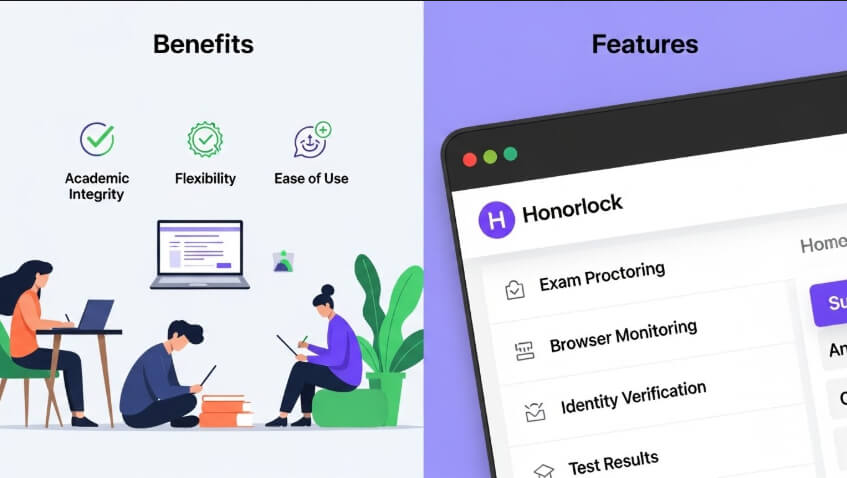
Benefits of Using the Honorlock Chrome Extension
The Honorlock Chrome Extension offers several advantages for both students and instructors:
For Students
- Easy to install and use
- No need to travel to test centers
- Smooth assessment experience
- Clear instructions during exams
For Instructors
- Secure exam environment
- Automatic monitoring reduces workload
- Reliable alerts and reports
- Improved academic integrity
These benefits make the extension one of the most popular digital proctoring tools today.
Is the Honorlock Chrome Extension Safe?
Many students wonder whether the Honorlock Chrome Extension is safe. The answer is yes. The extension is designed with privacy protection in mind.
It only accesses what is required for exam monitoring and does not collect personal data outside the test environment.
It also follows strict privacy rules and security standards, which makes it a trusted tool for educational institutions.
Conclusion:
The Honorlock Chrome Extension has become a highly reliable tool for creating secure and fair online exams.
It supports both students and educators by providing a controlled digital test environment, strong monitoring features, and simple usability.
As online learning continues to grow, tools like the Honorlock Chrome Extension will remain important for maintaining trust and integrity in assessments.
 Zain
Zain